From Field to Finished Photograph
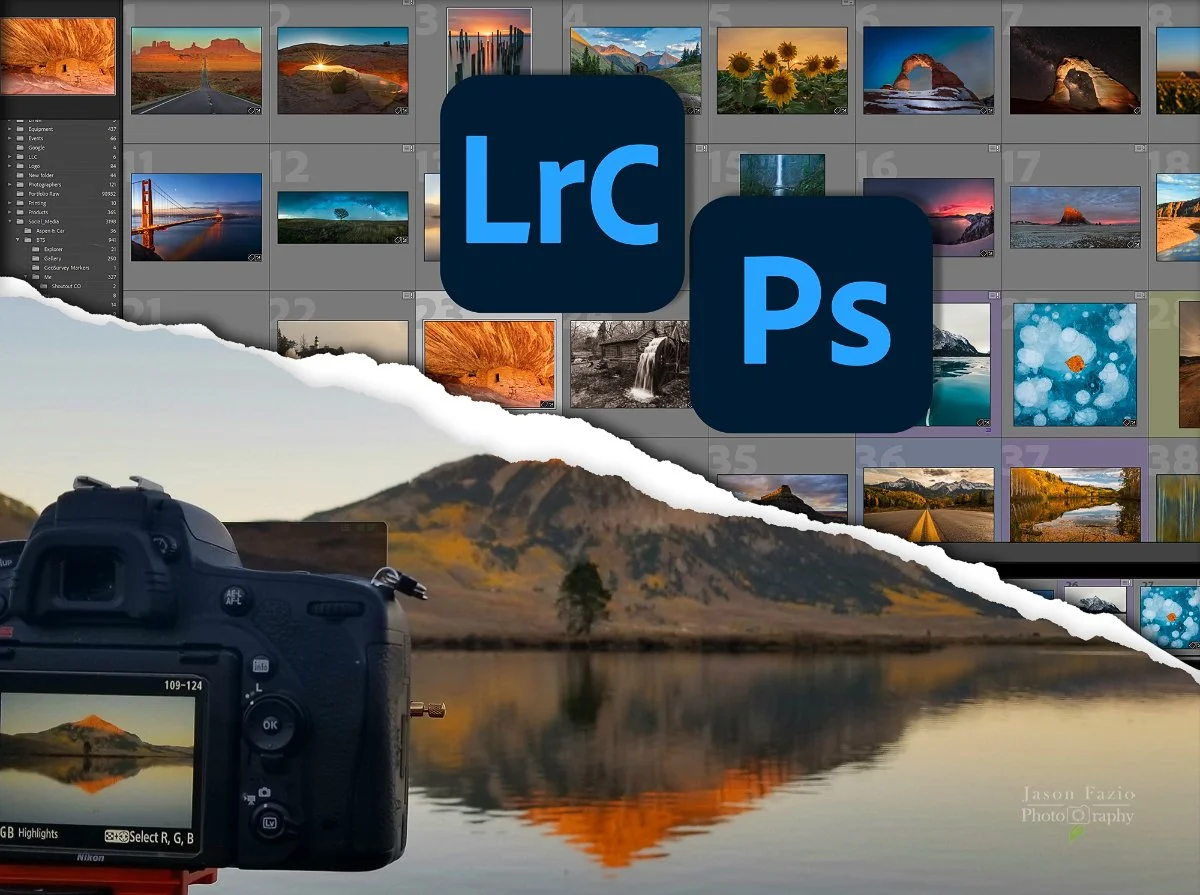
Some photography techniques don't end when you press the shutter.
Learning how to photograph a focus stack is only half the process if you don't know how to assemble it. The same is true of panoramas, exposure blending, Milky Way photography, ETTR, and many other landscape photography techniques.
That's why my Landscape Photography Training doesn't have a hard boundary between the field and the computer.
We can learn the technique, capture the photographs, sit down with the files, and work through the process from beginning to end.
I call it Combined Landscape Photography Training, but you don't need to book anything different.
Book a Half-Day or Full-Day session, tell me what you want to learn, and we'll decide how to make the best use of our time.
Capture and Processing Are Part of the Same Process
What you do in the field affects what you're able to do later at the computer.
If the exposures in a panorama aren't captured correctly, stitching them may become unnecessarily difficult.
If the focus points in a stack don't provide sufficient overlap, Photoshop can't magically create the missing information.
If highlights are clipped in one of your RGB channels, that information may simply be gone.
And if you didn't capture something you needed while you were standing in front of the landscape, you can't go back in time and get it.
You can't edit data you didn't collect.
Combined training lets us connect those dots.
Instead of learning a camera technique without seeing what happens afterward, or learning an editing technique without understanding how the source files were created, we can work through both sides of the photograph.
Focus Stacking From Beginning to End
Focus stacking is a perfect example.
The basic concept isn't particularly complicated: make multiple photographs focused at different distances and combine the sharp portions later.
But how many photographs do you need?
Where should you focus?
How much overlap do you need between focus points?
What happens when something in the scene moves?
And once you're sitting at the computer, how do you actually combine the files and deal with the problems that appear?
We can go into the field, work through the composition and capture, then open those same photographs and build the finished focus stack.
You leave understanding not just how to shoot a focus stack, but why you captured the files the way you did.
Panoramas From Capture to Stitch
Panoramas work much the same way.
We can begin with the finished composition in mind, determine how to photograph it, discuss exposure and focus, decide how much overlap we need, capture the individual frames, and then bring everything into the computer.
That's where you get to see the consequences of the decisions we made in the field.
Maybe everything stitches beautifully.
Maybe it doesn't.
Sometimes the mistake is the best part of the lesson because now we can identify why it happened and what you'll do differently next time.
That's difficult to teach if we separate photographing the panorama from processing it.
Exposure, Histograms, and ETTR
Combined training can also make more abstract concepts easier to understand.
I can talk about histograms and ETTR in the field. I can explain why I might deliberately capture a photograph that doesn't look particularly impressive on the back of the camera.
But then we can take that RAW file to the computer and actually look at the information we captured.
Suddenly, we're no longer talking about a graph on the back of a camera.
You can see why we made the exposure decision we did, what information it preserved, and how that affects the finished photograph.
This is also where we can dig deeper into the RGB histogram and why simply pushing everything as far to the right as possible isn't always the answer.
Especially if you intend to print your photographs.
Night Sky, Blending, and More
Combined training isn't limited to focus stacking and panoramas.
We can use the same approach for Milky Way photography, exposure blending, long exposures, difficult dynamic range, or almost anything else where decisions made in the field affect what happens later in post-processing.
The exact lesson isn't predetermined.
You tell me what you want to learn. We'll build the session around it.
Half-Day or Full-Day?
A Half-Day session is three hours.
That's enough time to target a specific technique, although some subjects can easily consume all three hours. Depending on the technique, conditions, travel, and your existing knowledge, we may spend more time in the field or more time at the computer.
A Full-Day session is six hours.
For combined training, that additional time can be particularly valuable.
We can establish a foundation, practice the technique, capture the files, process them, discover what worked and what didn't, and potentially have an opportunity to refine the process.
The goal isn't to cram as many topics as possible into six hours.
It's to give you the time to actually understand what we're working on.
You Don't Need to Choose Field or Computer
This is probably the most important thing to understand about my training.
You're booking my time, not a rigid curriculum.
If you book In-the-Field Training and it makes sense to open the computer, we'll open the computer.
If you planned an On-the-Computer session and going outside for an hour would help you understand how the files should be captured, we can go outside.
If Mother Nature changes our plans, we'll adapt.
Photography doesn't care what you originally clicked on my website.
Neither do I.
Both Half-Day and Full-Day bookings can be used for In-the-Field Training, On-the-Computer Training, or a combination of both.
Where Can We Do This?
I'm based in Monument, Colorado, and most local training takes place around the Colorado Springs area.
Where we actually go depends on what you want to learn.
We might photograph somewhere around Garden of the Gods and then find a coffee shop to work on the files. We could spend time farther into the field and use the Five Billion Star Hotel as a mobile workspace. A library or another public location can work just as well when most of our time will be spent at the computer.
We'll choose locations based on the lesson, conditions, and your physical ability.
If you're in the Colorado Springs area, you can generally book an available time, and we'll work out the details afterward.
If you're outside the area, contact me before booking.
A Few Things to Know
Do I need my own camera or computer?
No. I can provide the equipment we need. If you own a camera or laptop and want to learn using your own equipment, bring it.
Should I bring my own photographs?
You're welcome to. For some training, however, I prefer that we create the files together. That gives you an opportunity to understand the entire process rather than beginning halfway through it.
Do I have to know exactly what I want to learn?
No. Tell me what you're struggling with or what you'd like to be able to do. Part of my job is figuring out where the problem actually begins.
What if we don't finish everything?
Photography can get complicated quickly. I would rather spend the time making sure you understand something than rush through three more topics just so we can say we covered them. Grounded expectations matter, especially when we're starting with foundational skills.
Can the entire session end up being in the field or at the computer?
Absolutely. Combined training gives us flexibility. It doesn't require us to divide the time evenly.
From Field to Finished Photograph
A finished landscape photograph often begins long before the shutter opens and isn't complete when it closes.
Planning matters.
Capture matters.
The data you bring home matters.
And understanding what to do with that data matters.
Combined Landscape Photography Training gives us the opportunity to work through that entire process together.
Capture it. Understand it. Finish it.
BOOK A HALF-DAY TRAINING SESSION
BOOK A FULL-DAY TRAINING SESSION
If you're outside the Colorado Springs area or want to discuss what you'd like to learn: